Follow the steps below to create an account:
1) Click on "Click here to Register" on the right hand side below the login box (see photo below) 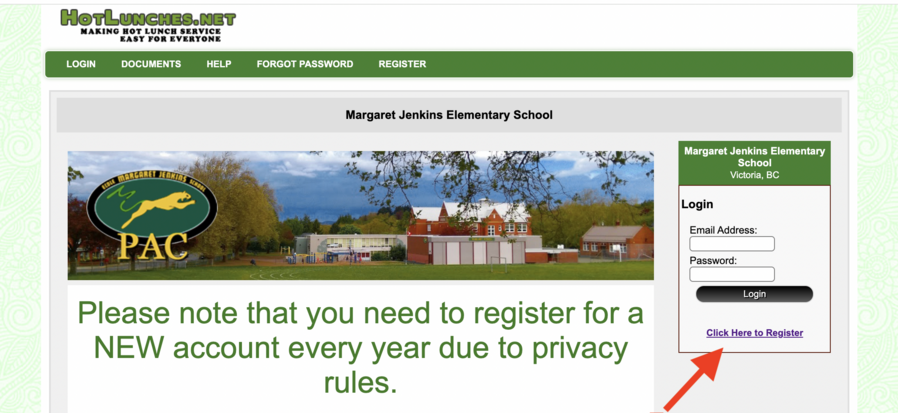
2) It will direct you to a new page, enter the access code using all capital letters: EMJS2026
3) Enter your phone number if you want it shared amongst other class parents. This is helpful to set up playdates or for invites to things but is not necessary to create an account.
4) Enter your email, this is your user ID for the year when logging in and also the email PAC will send deadline ordering reminders and the occasional event email.
5) Fill out the additional information and click "Register Now" at the bottom. You now have created your account and should receive an email letting you know you did. You can now login and add your children onto your account and place your order for October's hot lunch. Info on how to do this will show up on the homepage once you login.
If you have any questions or need assistance send us an email at contact@emjspac.ca
|